Tap once at the truck.
The report
writes itself.
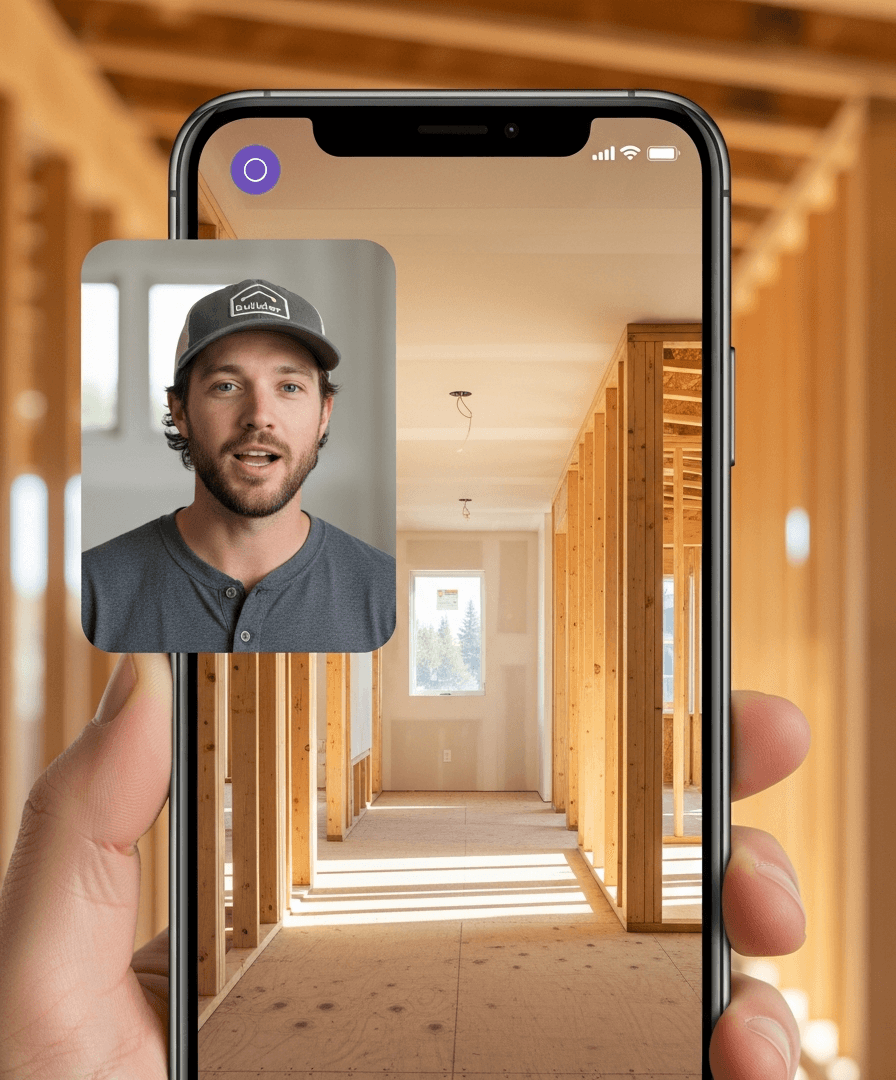
Walk a build with dual cameras rolling. AI tags location, trade, and phase from the back-cam frame. Your voice becomes the daily log, with weather and crew already attached.
Maple Residence · Day 47
Watch one walk become
a day's record.
Open the truck door. Hit record.
Dual camera rolls — you narrate as you walk. Front cam captures context. Back cam captures proof.
AI watches. AI listens. AI files.
Location, trade, phase, and schedule context attach from the back-cam frame and your voice.
It's on the timeline. Before the next room.
Day's log entry posts to the project timeline. Photos attach. Crew and weather come along.
Measured across 206,000+ field captures our customers logged last year — truck walks, punch walks, RFI photos, weather-out days, sub no-shows. Across 1,200+ active residential builds.
Built for the build.
Not a stitched-together
photo app.
CompanyCam and Raken take great photos. Other field tools just capture tasks. BuilderPad turns the walk into the build's connected record: schedule, selections, budget, RFIs, punch, warranty.
One ledger, not three apps
The photo, task, selection, change, and cost story live together instead of splitting into separate tabs.
AI auto-tag from a single walk
Walk once. The system understands room, trade, phase, date, crew, and which schedule item it belongs to.
Voice-to-log without the keyboard
Narration becomes an owner-ready daily log before the PM reaches the next room.
Capture it any way the moment calls for.
Photo, video, scan, or markup — however the field needs to document the build, BuilderPad files it to the right project, phase, and task, and keeps it searchable for years.
Photos
Snap from the app and it files to the right project, phase, and task — geo-tagged and tied to the daily log.
Videos
Shoot a quick clip of progress or a problem — streamed to the task, no upload wait, no lost footage.
Dual-camera walkthroughs
Narrate to the front camera while the back camera films the work — both views captured in a single take.
Document scanning
Scan plans, permits, and receipts straight to crisp PDFs — filed to the project, searchable for years.
Annotations & markup
Draw right on any photo or drawing to flag a defect, call out a dimension, or mark the fix the crew needs.
Date & location stamps
Every capture is stamped with the time, GPS location, weather, and crew on site — automatically, no taps.
Everything around the walk
that makes it ship.
AI tag accuracy
Every auto-tag comes with confidence we'd put in front of the homeowner.
Schedule + selections link
The day's log auto-attaches to the live schedule's active phase and any selection visible in the frame.
Weather + crew auto-pull
Forecast and actual conditions pulled from the geotag. Crew rolls up from check-ins and assignments.
Voice-to-log
Talk through the build as you walk. AI transcribes, cleans grammar, and writes the log in your team's voice.
Warranty audit trail
Every photo, geotag, timestamp, voice clip, and daily log remains searchable after handoff.
Rough-in clash? Draft it before you leave the room.
Plumbing rough-in clash, primary bath?
Maple Residence · 22.40 Plumbing
Your walks, sorted by build day.
Every photo you capture gets auto-tagged with phase, trade, and project. The team sees the day's progress at a glance. The homeowner gets a curated feed in their portal.
 FRAMING08:42a
 FRAMING10:15a
 FRAMING2:08p
 MEP09:24a
 MEP11:47a
 MEP3:12p
 DRYWALL08:51a
 EXTERIOR11:30a
 TILE3:47p
 CABINETS09:12a
 FINISHES1:25p
 PUNCH4:18p
AI auto-linked every capture to the active schedule phase
No manual tagging. 96.4% accuracy across the last 30 days. Homeowners see only what you choose to share.
The reason your super doesn't dread the drive home anymore.
The jobsite walk used to be the first job. Then came the second job at the kitchen table: reconstructing the day from photos, voice memos, texts, weather, and memory.
Jobsite Documentation moves that whole second job inside the walk. The super talks. The camera sees. BuilderPad files the record, links the proof, and leaves the evening alone.
My super used to type up logs at home at night. Now he narrates a walk-through and the day's already filed by the time he reaches the truck. He's home with his kids by 6.
Jobsite Docs is one part
of the build's living ledger.
The walk knows where you are on the schedule, what selections were installed, and whether a field change needs paperwork.
The log knows what phase you're in.
Daily-log entries auto-attach to the active phase on the live schedule.
Explore SchedulingPhoto-evidence on every selection.
When you walk past an installed selection, AI links the photo to the homeowner decision.
Explore SelectionsVoice the change. Draft writes itself.
Narrate the cause on the walk and BuilderPad drafts the change order context.
Explore Change OrdersStop typing logs.
Start building.
Book a 30-minute session. We'll set up dual-cam capture on one of your real builds, walk the first room together, and show you the log before the call ends.
Book a working session