Every job gets
its own feed.
Post photos, videos, and voice notes right from the app. Your team and the homeowner get a push notification — and it all stays pinned to the project, searchable for years. Think a newsfeed, built for the jobsite.
Marcus Bell posted to Vannex Remodeling
Quick walkthrough before the drywall crew stages Monday 📍
Jim Miller tagged you on 123 N Oak St
Framing inspection passed ✓ — you're clear to stage
Rosa Salazar left a voice note
🎙️ Tile delivery pushed to Thursday · 0:32
Quick walkthrough before the drywall crew stages Monday 👇
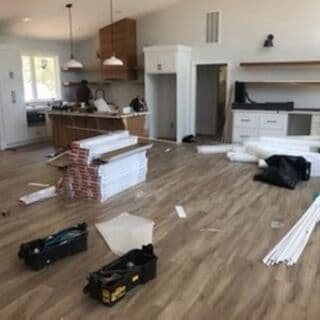 Dual cam
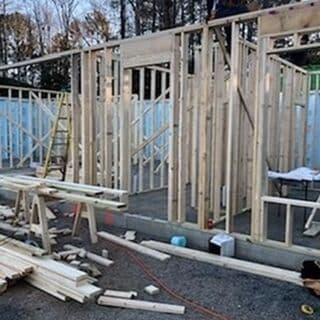
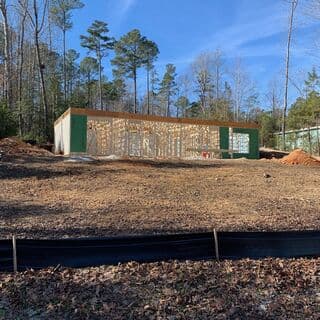
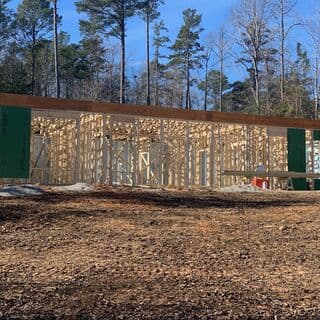 +5
+5Framing inspection passed on the Maple Residence ✓ Door 2 header sticker is on, joist hangers all good. @Drywall crew you're clear to stage Monday.
When are the framers wrapping the master bath? I'm staged for Friday rough-in — push or hold? @Jim Miller
Post it once. Everyone
gets the update.
Snap it. Say it.
Post it.
Your crew posts a photo, a quick video, or a voice note straight from the BuilderPad app — tagged to the task, no typing required.
The right people,
notified instantly.
BuilderPad pushes a notification to everyone on the task — your team, your subs, and the homeowner — with sub-by-sub permissions applied. @-mention anyone to pull them in.
Pinned to the work.
Findable two years later.
Every post lives on its task, selection, PO, or change order — with every photo, video, comment, and approval logged.
Stop chasing the job across
texts, emails, and voicemails.
Updates used to scatter across a dozen inboxes — and the one detail you needed was always in the one you forgot to check. BuilderPad pulls it all into a single feed, pinned to the project and searchable for years.
A jobsite feed that actually
knows your project.
Mention the right people, link the real schedule item or selection, and let AI tag every photo — so the feed isn't just chatter, it's the living record of the build.
Tag people, trades, or whole crews. Only the right people get pinged — homeowners never see what isn't meant for them.
Drop a live link to a schedule item, a selection, or a file right in the message — like a hashtag that actually opens the thing.
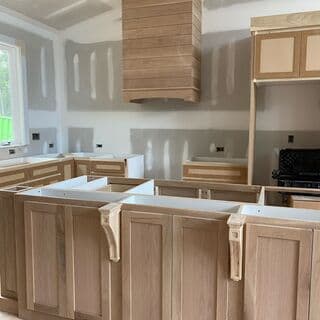
Every photo is auto-tagged the moment it posts — so "show me the kitchen framing" actually finds it two years later.
Pick who sees each post — the whole project, your internal crew only, or one person. Sensitive conversations stay sensitive.
Framing marked complete on Harlow New Build
Auto-logged · 9:14 AM
Linear fireplace selected by John Harlow
Selection approved · Yesterday
BuilderPad posts the milestones for you. Finish a phase or approve a selection and the feed logs it — no one has to remember to announce it.
Every photo, video, voice note, and comment your team posts lives on the project it belongs to — pinned to the task and searchable for years.
Built for construction threads. Not generic messaging.
Group texts, WhatsApp, PM-tool comments, Slack channels — none of them tie a message to the actual work. None survive when a phone dies, a sub leaves, or a dispute lands. We do.
Group text (SMS, WhatsApp, iMessage)
No job context, no @mentions, no search across years. The thread dies when someone leaves the chat — and the field photos die with their phone.
Project-management tool comments
Only people with a paid seat inside the tool can post. Subs and clients without seats text you instead — and the chain breaks. Half the conversation lives outside the record.
Slack / shared inbox
Threaded by channel, not by job. No sub-by-sub permissions — every sub sees every message. No audit trail when the change order argument hits.
Everything around the AI
that makes a thread stick.
Every voice memo transcribed and pinned to the task. Searchable like text — two years later.
Snap a photo, shoot a quick video, or drop a voice note from the app — it lands on the task instantly. Subs and clients post from a free invite, no paid seat.
Everyone tagged gets a push notification the moment a post or reply lands — on their phone, no app-open or refresh required.
Type @Jim — only people Jim is allowed to see resolve. Mention by trade, by phase, or by sub. Never blast the whole company.
Every message timestamped, attributed, immutable. Export the thread as PDF — the same shape your attorney expects.
Push notification. Thumb tap. Reply lands in the right thread.
Default action under your thumb. No login. Smart about timezone and on-call hours.
The reason every change-order argument starts with “where’s that text from last Tuesday?”
he thing builders actually need from messaging isn’t speed — it’s recall. Three months from now, when the homeowner insists you never told them about the upcharge, the question isn’t “what did you say,” it’s “can you prove what you said.” Group texts can’t. iMessage can’t. Slack can’t. The phone that took the photo is gone.
BuilderPad threads every text, email, photo, and voice memo to the work it’s about — then keeps it. Two years later, the change-order argument starts with a screenshot of the actual conversation, not a debate over whose memory wins.
We won an argument we would’ve lost. That’s what receipts buy you.
“The homeowner came back six months later swearing we never told her about the upcharge. Took me eight seconds to find the text. Eight seconds. That used to be a week of scrolling.”
Communication is one
part of the OS.
Messages thread to selections, invoices, and field photos — same brain, same project, same source of truth.
The homeowner replies.
Lands in your thread.
Clients comment from the portal — you see it in the same feed, on the same task. No second inbox to check.
Every invoice.
In the same thread.
Vendor bills, POs, and receipts get read, mapped, and pinned to the project conversation that needs them.
Field photos. Voice memos. Pinned, instantly.
Snap a header detail at the truck — lands on the task before the truck door closes. Voice memo transcribes itself.
Kill the group text.
Keep the receipts.
Book a 30-minute working session. We’ll route your real subs into a real project thread — on the call, live.
Book a working session